For pizzeria owners
AI answers your phone.
When your team is busy, Daydial takes the pickup order. See how it reaches the kitchen on a supported setup.
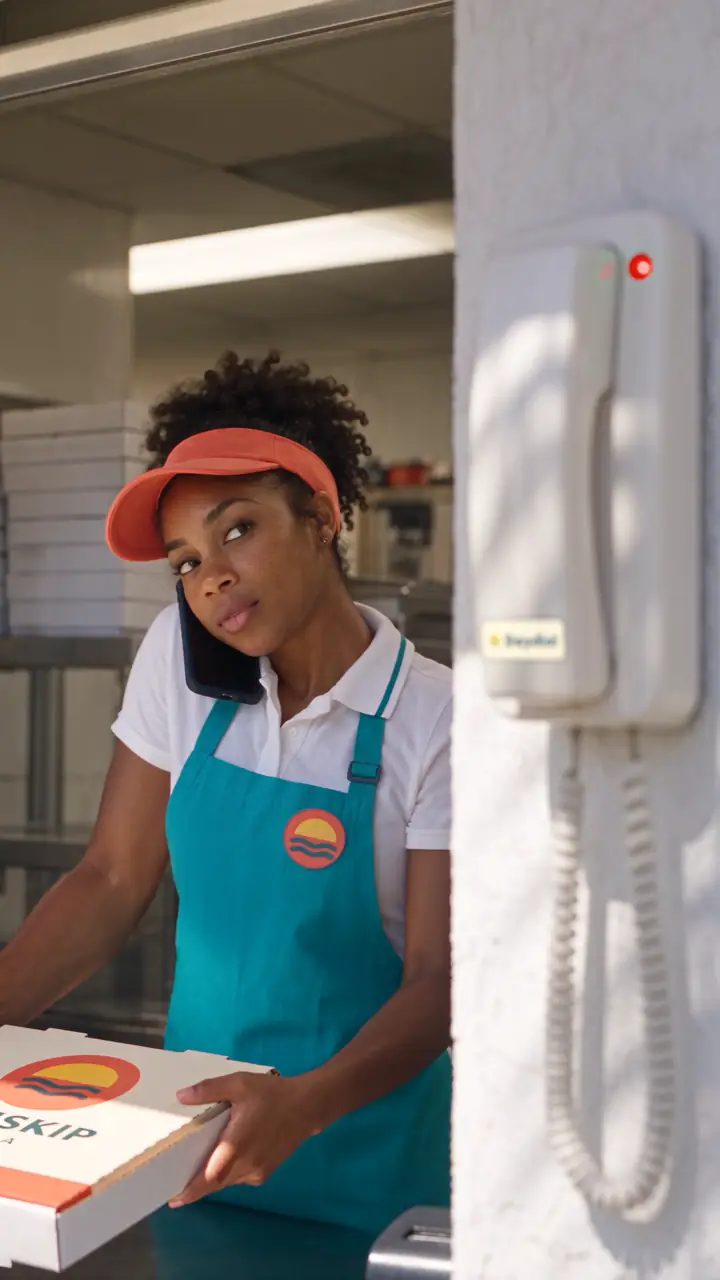
Read what's said in the film
On screen: AI answers your phone. Takes the order. Sends it to the kitchen.
Cook: Nia! Phone!
Nia: I'm on an order!
Daydial AI: Sunskip Pizza. What can I get you?
Casey: One large pizza, mushrooms on the left half, please.
Daydial AI: Large pizza, mushrooms on the left half.
On screen: Ticket #417 prints at the pizza station. Taken by Daydial AI. Pay at pickup.
Staff: Who took this? Not me.
Narrator: Daydial did. Try it free on your menu.
Hear what Casey asked for. See what the kitchen gets.
Hear what Casey asked for. See what the kitchen gets.
Scroll through the call. Then press any part of the order to find it on the ticket.
- Daydial AI
Sunskip Pizza, this is Daydial, the AI order line. What can I get you?
 Casey
One large pizza, mushrooms on the left half, please.
- Daydial AI
One large pizza, mushrooms on the left half, cheese on the right. Can I get a name for the order?
- Casey
Casey.
- Daydial AI
Thanks, Casey. That's $18.50 plus tax, pay at pickup, ready at 12:57. Is that right?
- Casey
Yes, that's right.
- Daydial AI
You're all set. Order 417 is in.
Ticket #417, recreated from the demo film.
Listen back. Call the customer if something changes.
In a pilot, every order keeps its call. Your staff can replay what was said, check what's on the ticket and ring the customer back from the shop.
Casey, #417
What Daydial wrote down
- Item
- 1 large pizza
- Left half
- Mushroom
- Right half
- Cheese
- Total
- $18.50 plus tax
- Payment
- At pickup
- Ready
- 12:57 PM
- Read back and confirmed by Casey, 12:42 PM
- Ticket #417 printed at the pizza station
Casey called back
Hypothetical exampleNeeds clarification. Casey wants pepperoni on half, didn't say which half, and asked for a call back. Ticket #417 is already in the kitchen, so Daydial changed nothing and passed it to staff.
 Nia takes the task, so nobody else dials.
- Nia's phone rings first.
- Casey is joined in from the shop's number.
- Reached, 12:48 PM.
Pepperoni goes on the cheese half. New total $20.00 plus tax, and Casey said yes. The pizza wasn't in the oven yet, so ticket #417 was amended, not fired again.
- Left half
- Mushroom
- Right half
CheesePepperoni- Total
$18.50$20.00 plus tax
 Kitchen acknowledged by Marco, 12:49 PM
This runs on the page only. No call is placed and no order is changed.
Answers from your menu and your shop's instructions.
Callers ask more than what's on the menu. Daydial answers from sources you approve, and hands the call to a person when it shouldn't answer.
Yes. Any topping can go on the whole pizza, the left half or the right half.
Transferring to staffSunskip sample menuPizzas, toppings
Build your own: cheese, pepperoni, sausage, mushroom, onion, green pepper, olive. Any topping on the whole pizza, the left half or the right half.
Approved by the owner
Will it work with my POS?
Tell us how you take payment and where tickets print. We'll check your setup before connecting a live line.
We'll check your Toast setup for pay-at-pickup routing.
Writing orders into Toast needs approved access and your sign-off. We test sizes, half toppings and where the ticket fires before anything goes live.
Questions owners ask first.
Can I keep my number?
Where your phone provider supports it, busy or unanswered calls can forward to Daydial. We'll test the handoff with you.
Who checks a tricky order?
In the pilot, you can review every order first. Once your setup is tested, staff can focus on exceptions.
Can customers pay at pickup?
It depends on your POS and kitchen setup. We test your payment flow before live routing.
What is free?
A test order on a demonstration line using your menu.
Try it free on your menu.
Send a menu and try a pickup order with your own sizes and toppings. Your kitchen stays out of the demo.
Try it free on your menuOr email your menu to hello@ternandloom.com.
- Send your email, and your menu if you have it to hand.
- We set up a test line from your menu and email you its phone number.
- Call it. Order a half-and-half, change your mind, ask a question. We send you the ticket it creates.
The test line can't charge a card, place a paid order or call a real guest.